
Plan your training week and track every workout
Kenco Life helps you set up the workouts you do in a typical week, one session for each training day, from a catalog of exercises with video. You log each workout when you finish it, and a coach can adjust the plan for you.
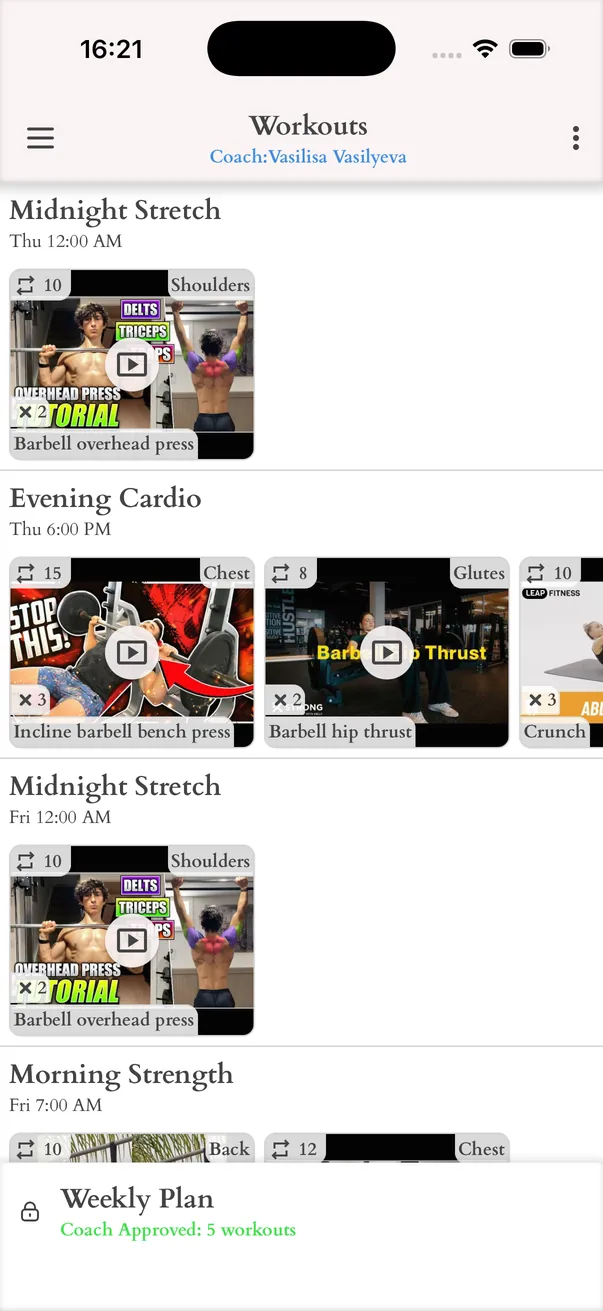
Your weekly plan
A workout is one whole session with a name, a weekday and a time, for example legs at the gym on Monday. Add one workout for each day you train, and the week becomes a plan you can follow and adjust over time.
- One workout for each training day of the week
- Each workout is a list of exercises with sets and repeats
- A reminder an hour before a workout starts
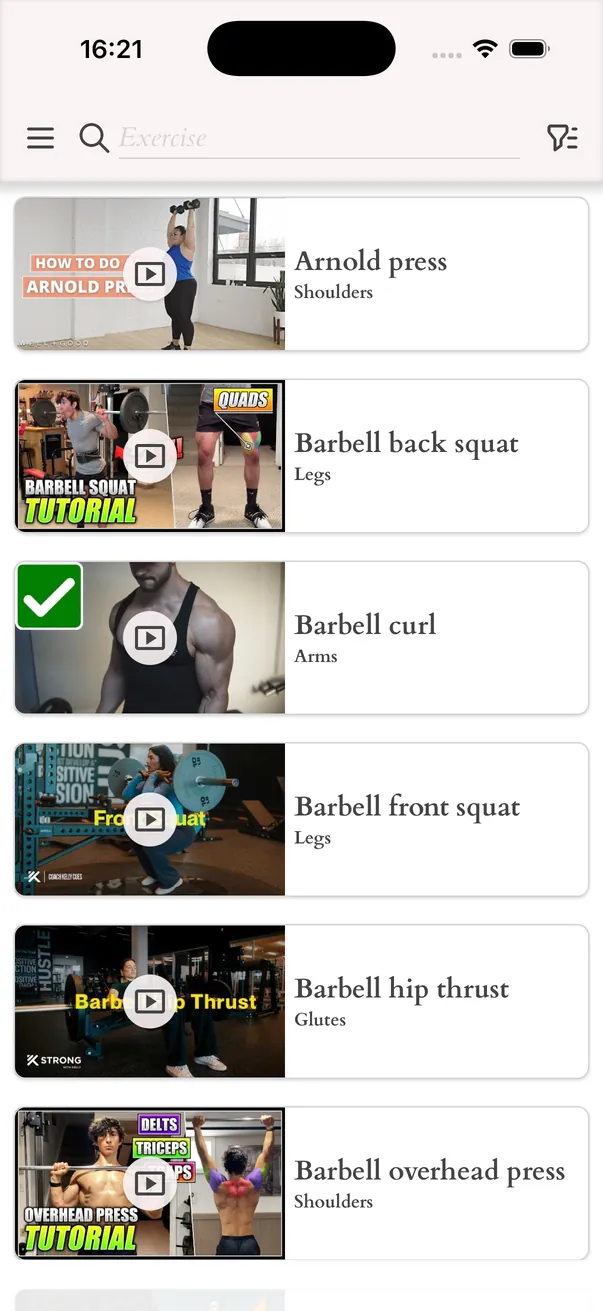
Exercise catalog with video
Pick exercises from a catalog grouped by body part. Every exercise comes with a video that shows how it is done, so you know the movement before you start. If an exercise is missing, create your own and attach a video to it.
- Categories: chest, back, shoulders, arms, abs, glutes and legs
- Search and filter to find an exercise quickly
- Your own exercises stay in your catalog
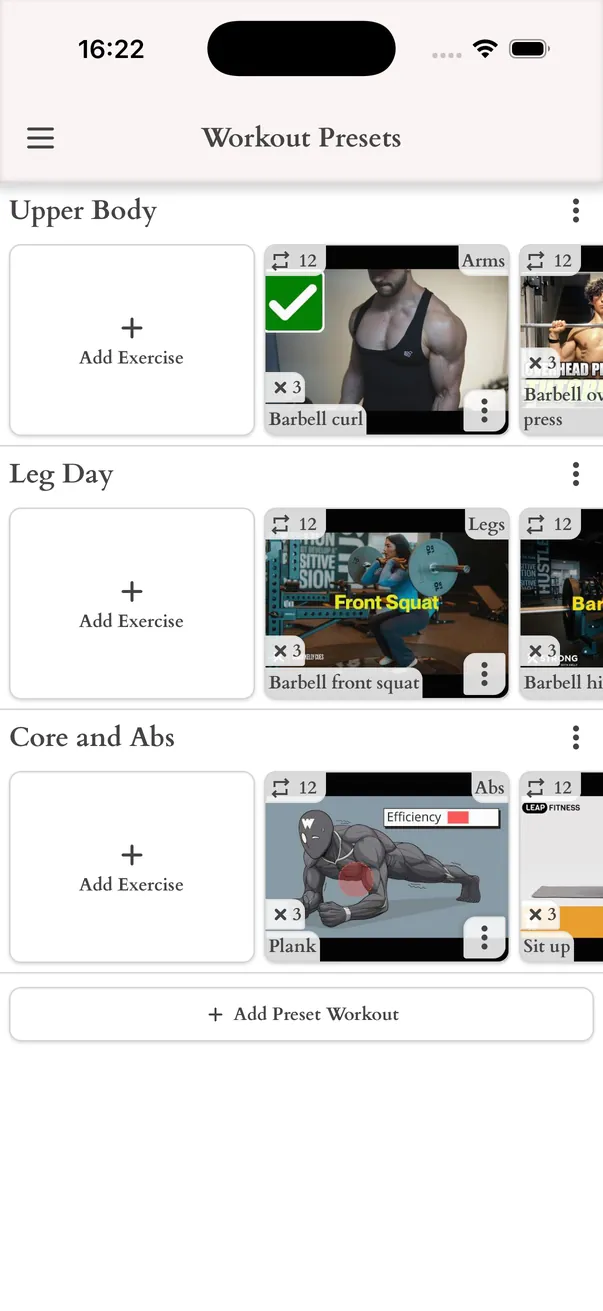
Workout presets
A workout preset is a ready-made workout you save once and reuse. Keep a library of the sessions you repeat most, then replace any workout of the week with a preset in one tap. Coaches use presets to assign the same session to several students.
Track every session and look back
The Track screen shows today's workouts next to your meals. Tap a workout to log what you did, or add a quick workout that was not planned, such as a walk. Earlier days stay available, so you can see which sessions you finished.
- History of finished workouts by day
- A week goal that counts your finished workouts
A coach for your workouts
If putting together a balanced training week feels hard, add a coach to your workout plan. The coach sees your week, changes exercises, sets and repeats, and approves the plan. You see the result in your app.