Plan your daily meals and track calories and macros
Kenco Life turns your usual day of eating into a daily menu with a clear goal. It recommends calories, protein, carbohydrates and fat for your weight target, shows how your menu compares with them, and lets you log each meal on the day's timeline.
A target that fits your goal
Choose whether you want to keep your weight, lose some or gain some, and how many months you give yourself. From your profile and this goal, the app recommends daily calories, protein, carbohydrates and fat, and shows a weight forecast.
- Based on your weight, height, age, sex and activity level
- Shows your BMR, the calories your body burns at rest
- Forecast of your weight in one month and in three months
Your daily menu
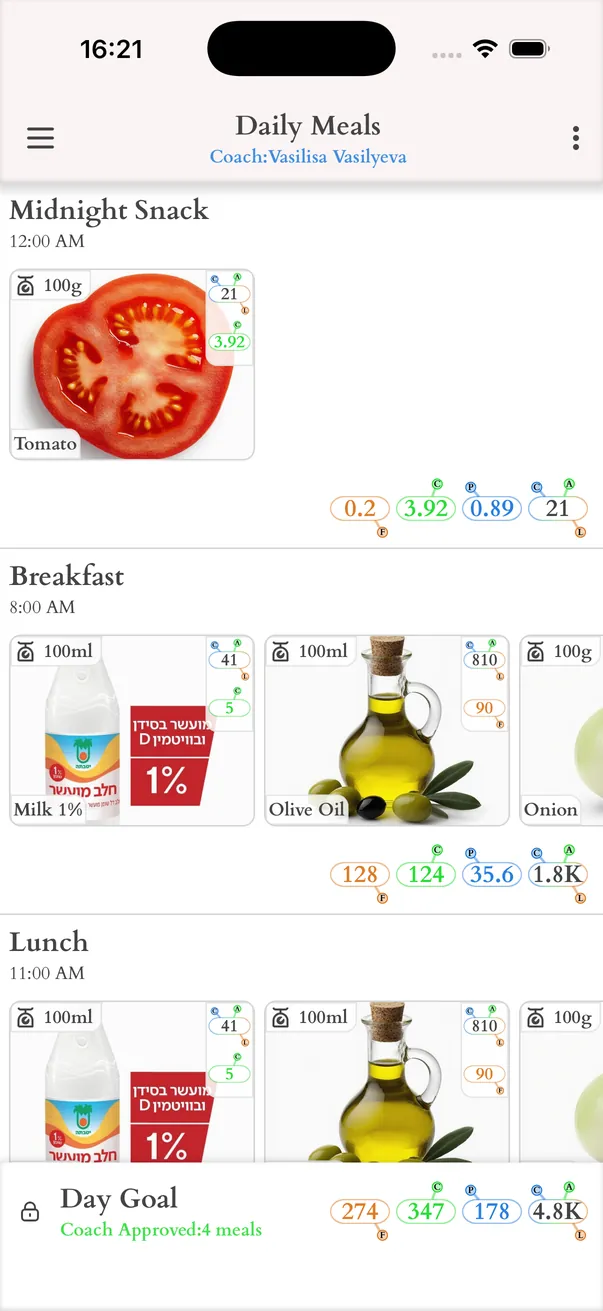
In Daily Meals you build a typical day: the meals, drinks and snacks you usually have, each with its ingredients and amounts. The app adds up the whole day and compares it with your target, so you see at once what to change.
- Calories, protein, carbohydrates and fat for every meal and for the day
- A warning when the day is over the calorie target or under the protein or fat minimum
- It is a routine, not a rule: swap meals and ingredients whenever your day changes
Ingredient catalog with barcode and photo
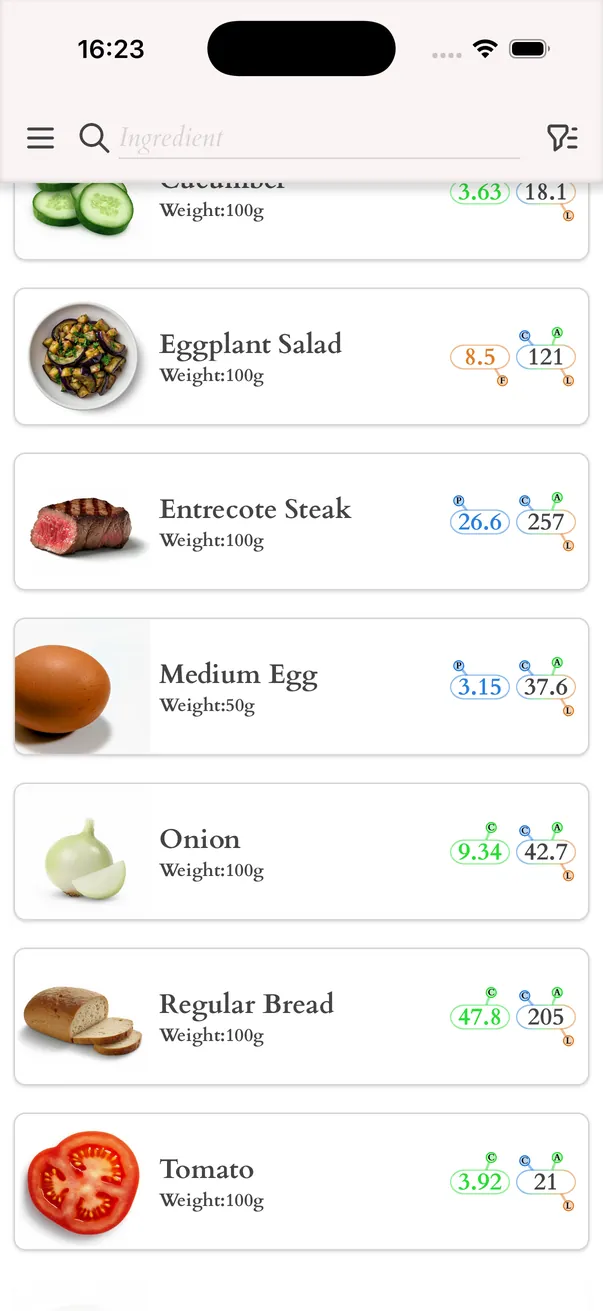
Ingredients come from a catalog tailored to your country, with the products you find on your own shelves. When something is missing, add it yourself: scan the barcode, take a photo, or type the values from the label.
- Scan a barcode to fill in the nutrition values automatically, with data from Open Food Facts
- Take a photo of a product and let the app suggest its name and nutrition values
- Your own ingredients stay in your catalog for the next time
Meal presets
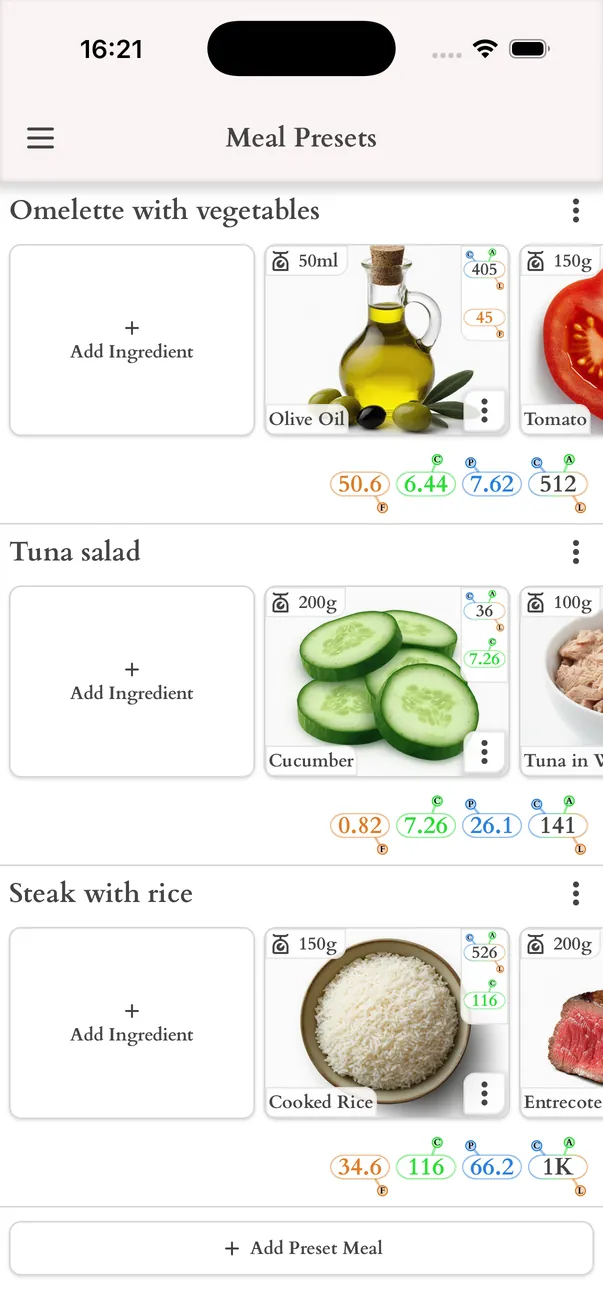
A meal preset is a ready-made meal you save once and reuse. Build a library of the meals you eat most often, then swap any meal of your day for a preset in one tap instead of entering the ingredients again.
Track every day and look back
The Track screen shows today's meals on a timeline. Tap a meal to log what you ate, add a snack that was not planned, and record your weight. Earlier days stay available, so you can see what you actually ate.
- History of tracked meals by day
- Progress by days, weeks and months
- A reminder to finish each meal and to weigh in