
A coaching app to manage your students' nutrition and training
Kenco Life lets a nutrition or fitness coach manage every student from one phone. Turn on Coach Mode, accept the students who request you, then open any student to adjust their daily menu, their weekly workouts and their targets, and to see what they actually ate and trained each day.
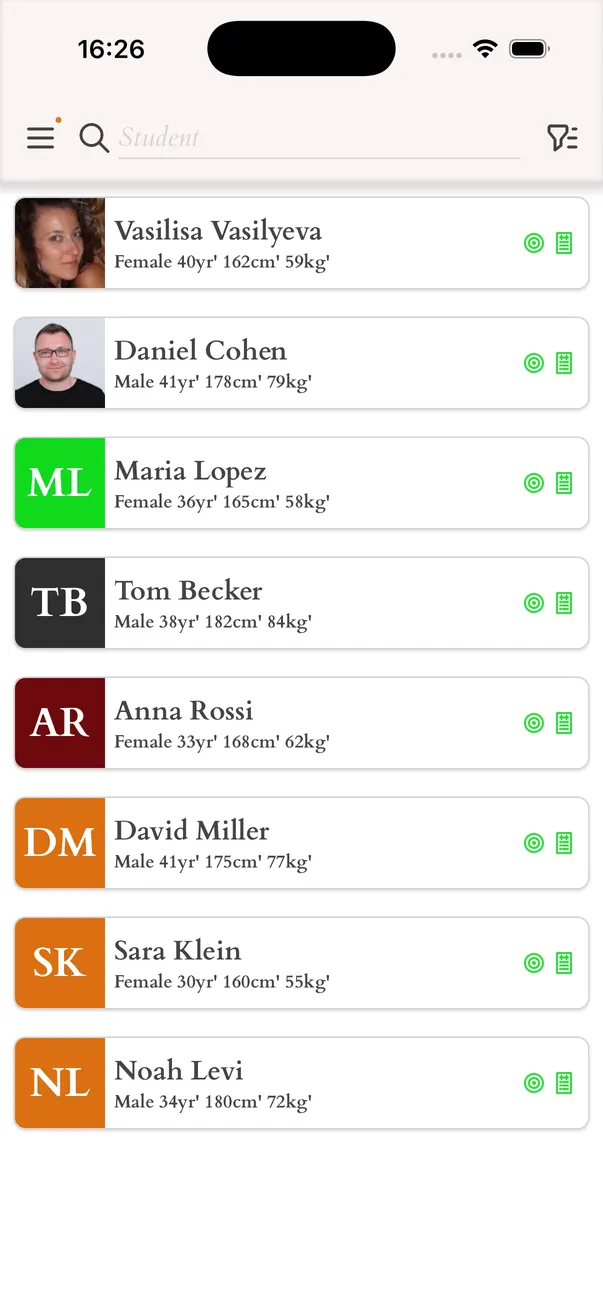
All your students in one list
Students send you a request from inside the app, and each request lands in your Students list. You decide who you work with, and you can filter the list to see who is waiting for an answer and who you already coach.
- Accept, decline or block a request
- A student can ask you to coach their nutrition, their workouts or both, and you answer each request separately
- Filter students by status: pending, approved, declined or blocked
Adjust a student's daily menu and targets
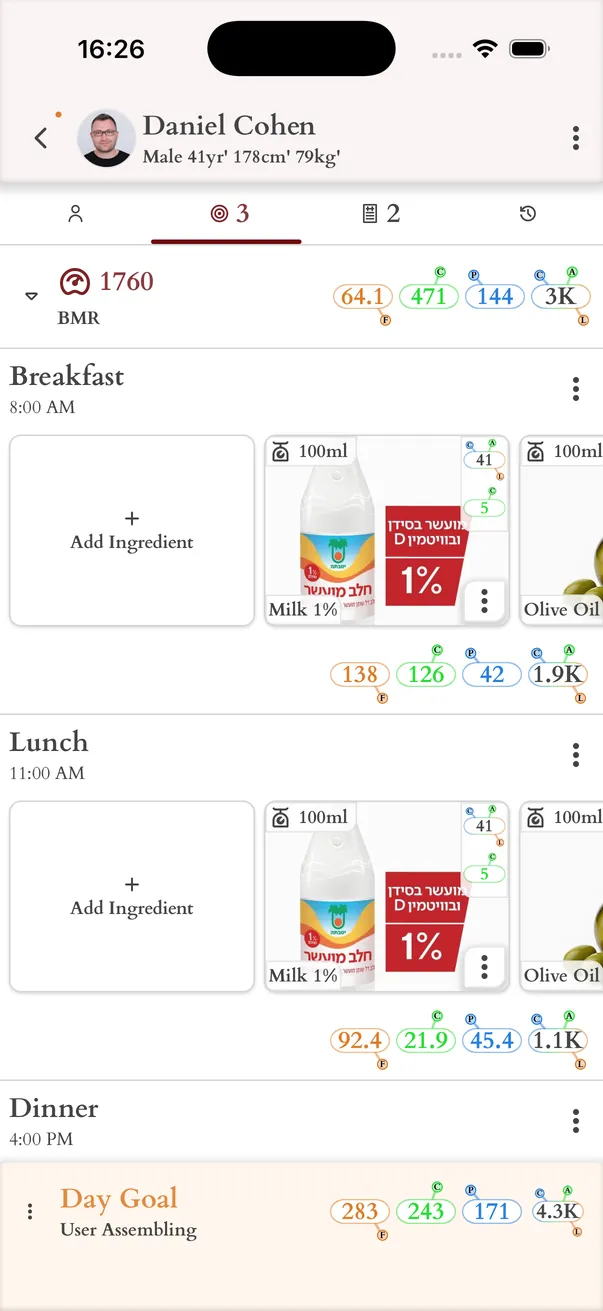
Open a student to see their daily menu exactly as they built it, next to the calories, protein, carbohydrates and fat recommended for their goal. You edit the menu directly, so the student never has to copy your advice from a message into the app.
- Change meals, ingredients and amounts in the student's Daily Meals
- See the student's weight goal, timeframe and recommended daily numbers
- Get a warning when the day goes over the calorie target or under the protein or fat minimum
- Approve the menu when it is ready, or decline it
Build and adapt their workouts
The student's training week is a list of workouts, one for each training day, and each workout is a list of exercises with sets and repeats. You can change any of it, or replace a whole workout with one from your own library of presets.
- Add and remove exercises, and set sets and repeats
- Keep workout presets and meal presets for the plans you assign most often
- Exercises and ingredients you create yourself are available to your students
Follow what actually happened
A plan only matters if it is followed. When a student logs a meal or a workout, you see it. Open any earlier day to check which meals and workouts were finished, and look at progress over days, weeks and months.
- Day-by-day history of the student's meals and workouts
- Progress by days, weeks and months, including weight
- The student's measurements, activity level, allergies, medications and medical conditions from their profile
Stay in touch
You get a notification when a student sends you a request, and the student gets one in their Inbox when you approve or decline a plan. For a conversation, open a WhatsApp chat with the student straight from the app, once both of you have added a WhatsApp number to your profiles.